v1.1.1 Free & open source macOS · Windows · Linux

Run more projects than fit in one head.

Jira, Linear and Notion track the team's work. None of them track yours — the follow-ups you are owed, the approver you need to catch, the project nobody has touched in three weeks. Neo is the layer above them that holds it instead.

No account. No server. No telemetry. Your data stays in one folder you own.

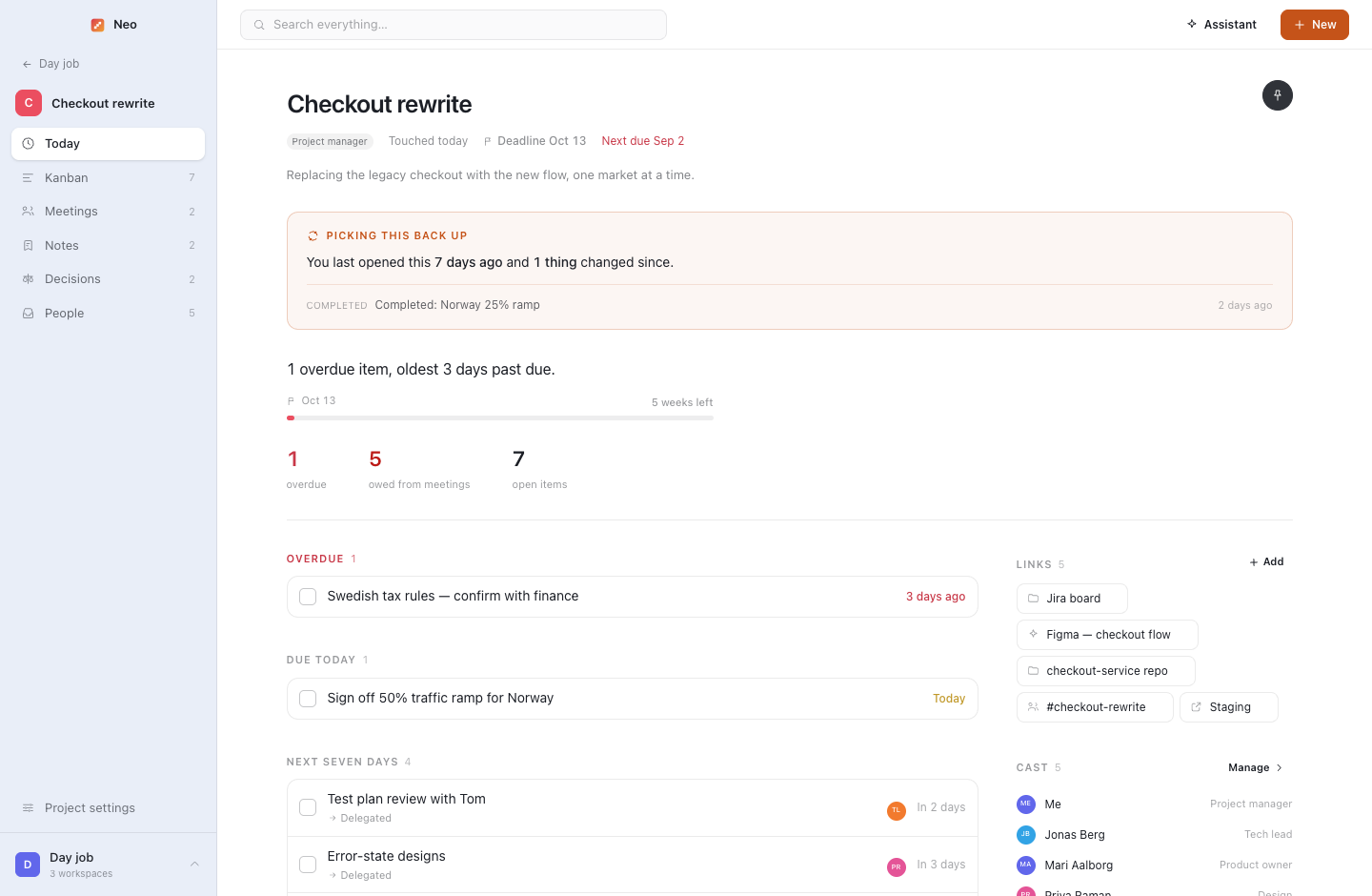
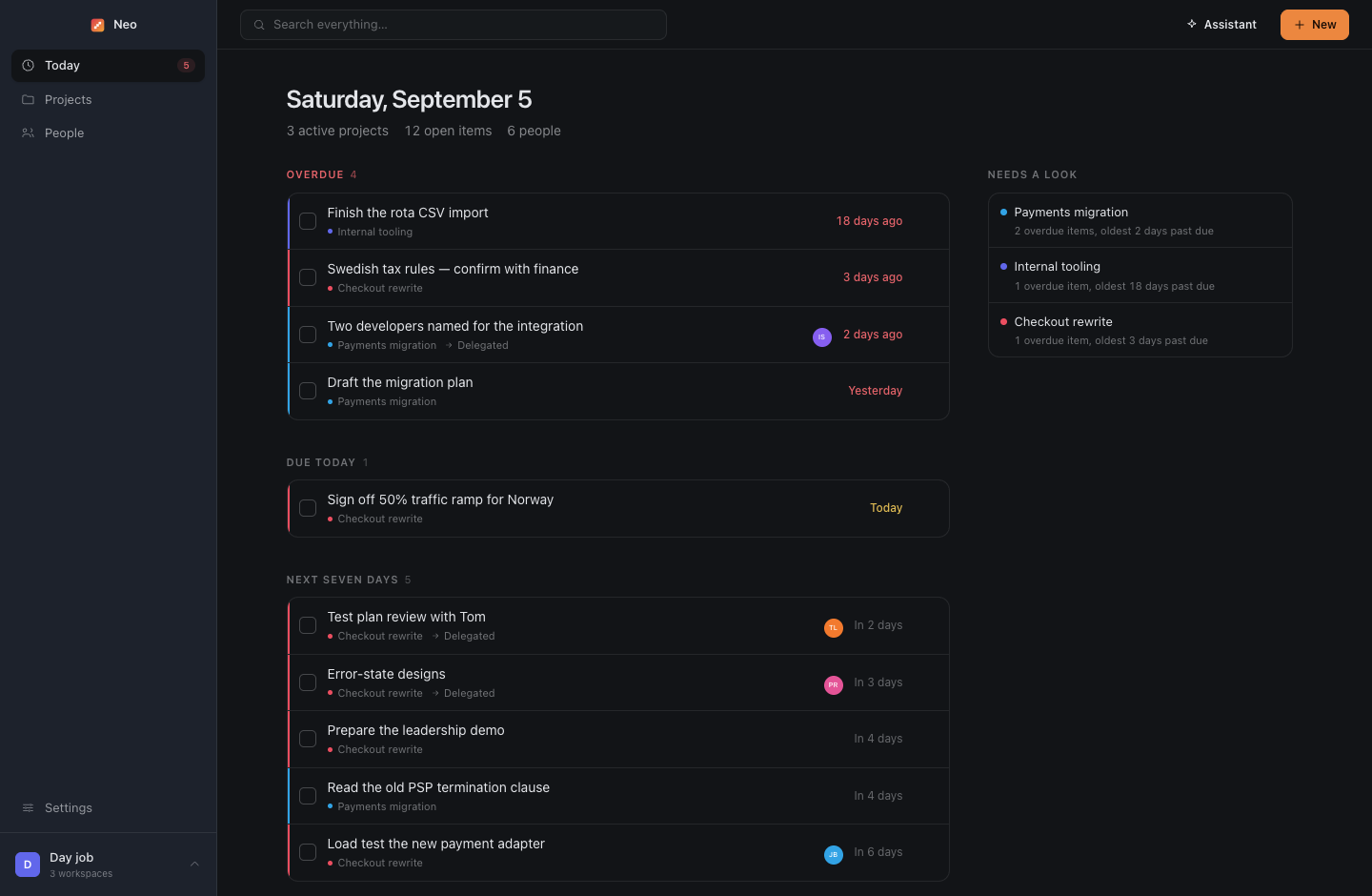
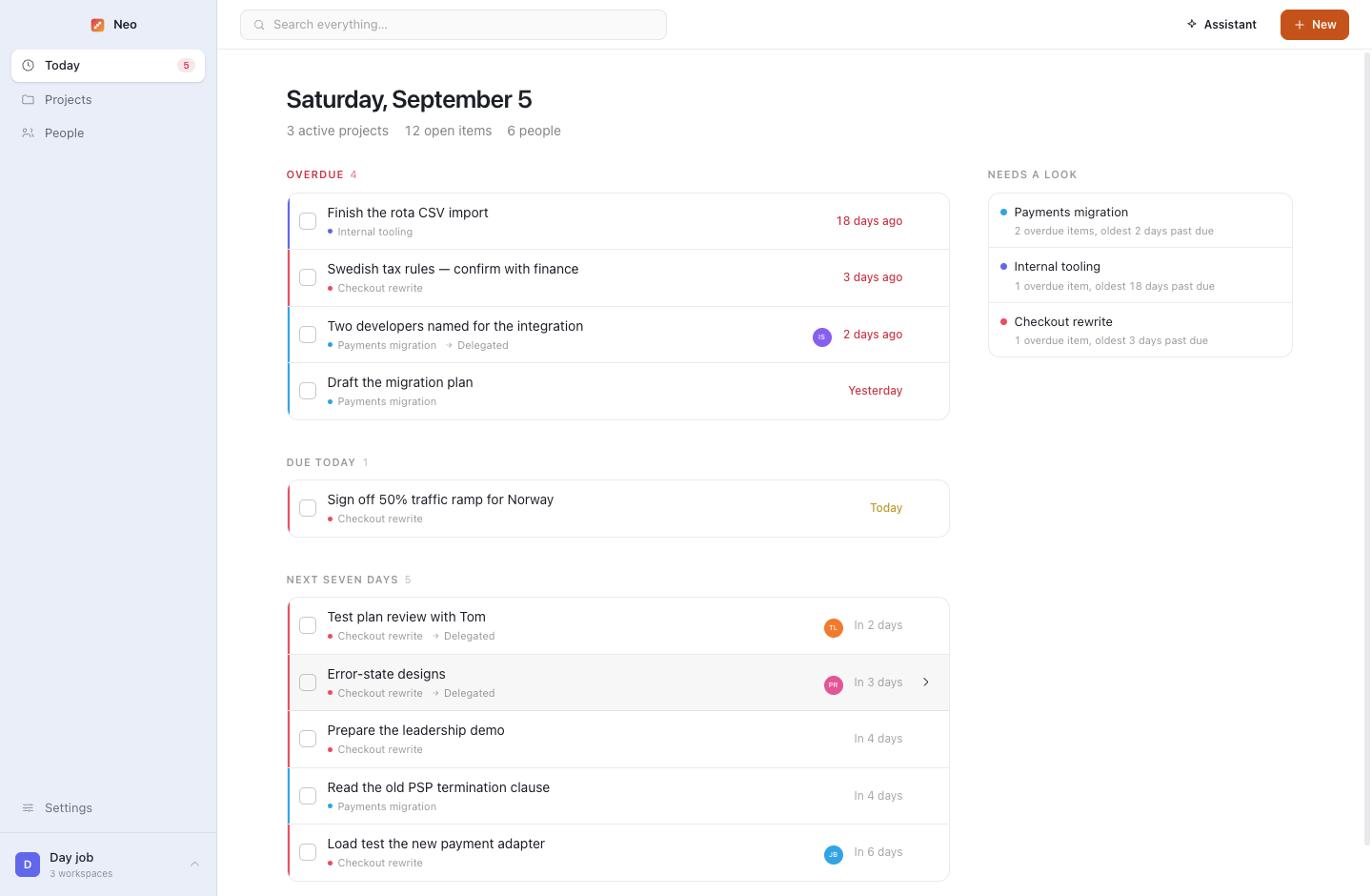
Neo's Today screen: everything overdue, due today and coming up across every project in the workspace, and a Needs a look list beside it.

Status reports go stale the day after you write them. The loud project takes your attention while the quiet one rots. You delegated it three weeks ago and never followed up. Reloading a project you have not touched costs twenty minutes before you can say anything useful. Neo is built for one constraint: it must survive neglect. Capture is cheap, almost nothing needs upkeep, and every screen stays useful when the data is a month old.

Three questions no single tool answers
01

What is on fire today, across every project?

Today gathers everything overdue, due and coming up from every project in the workspace, and Needs a look ranks the projects by the single most pressing fact about each. Staleness counts, so the one nobody has mentioned in a month surfaces before it surprises you.

02

Who is who on this one again?

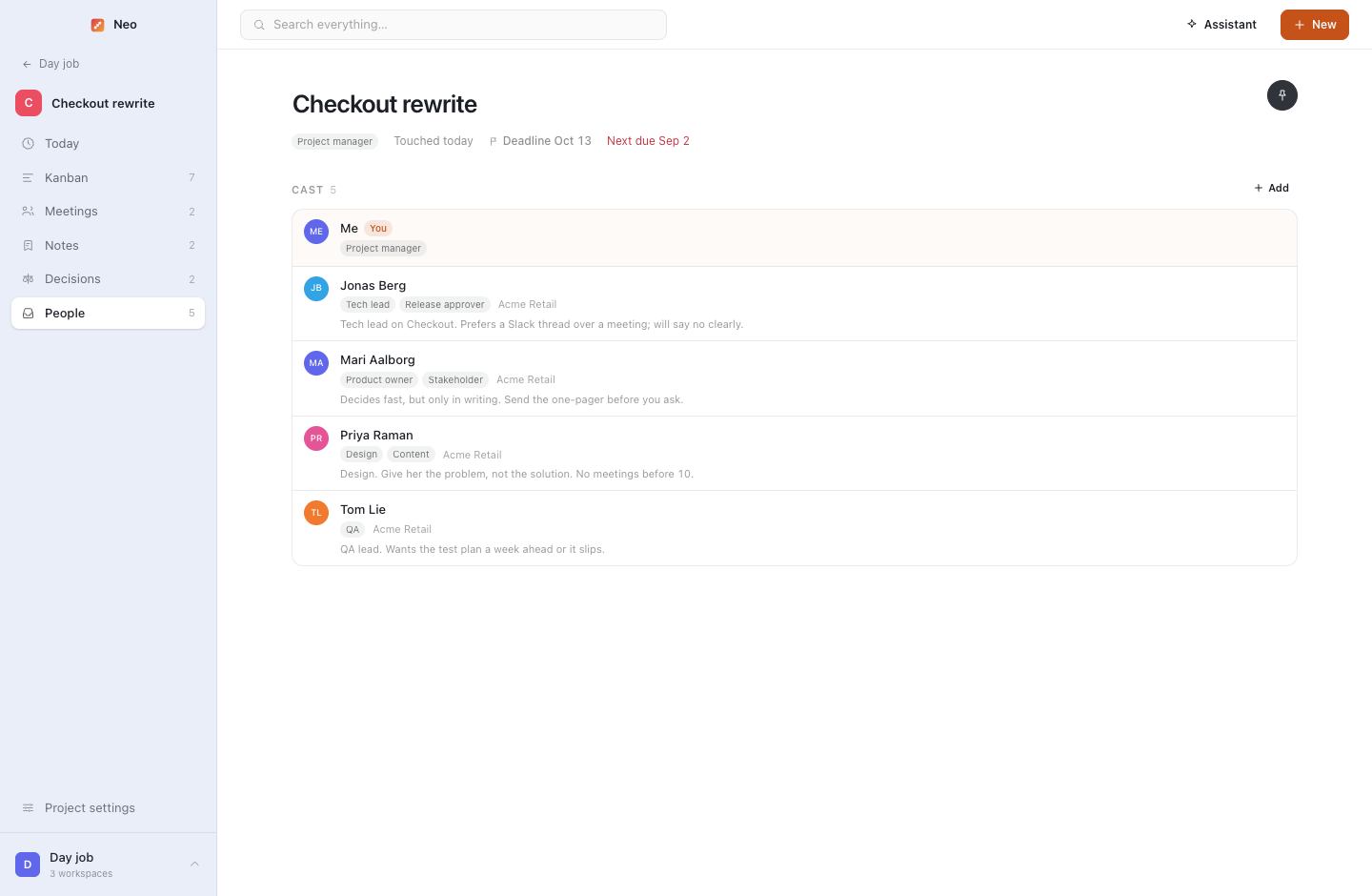
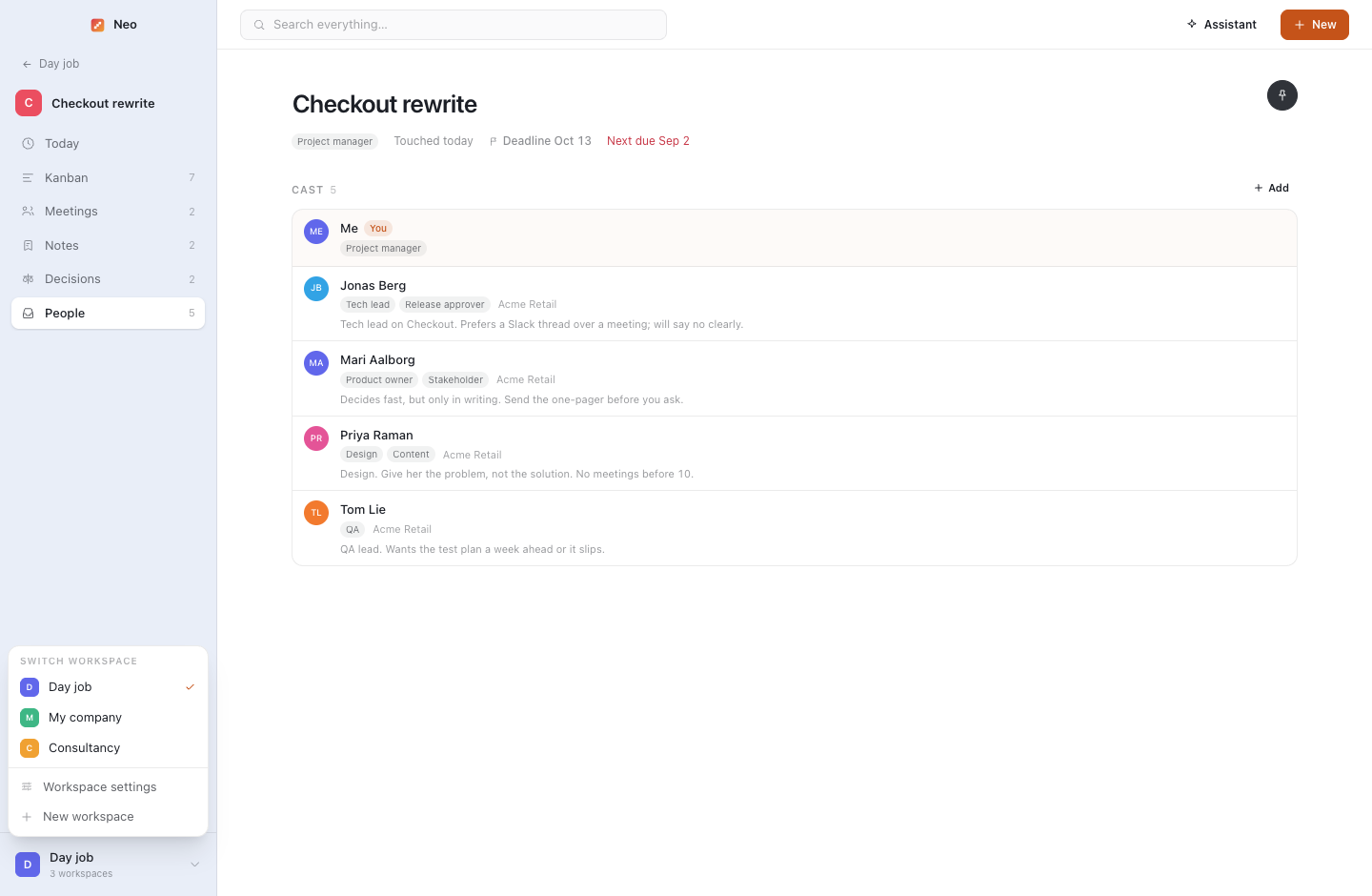
Every project has a cast: who is on it, the roles they actually hold, who approves what, and a line on how to work with them. Read it in the thirty seconds before the meeting.

03

Where the hell were we on this?

Opening a project you have been away from starts with a re-entry brief: what changed since you last looked, where it stands in one sentence, and the work that is actually late or due. Back in the conversation in thirty seconds.

What it does about it

Built around the bits that actually hurt.

Every feature exists because of a specific way project management goes wrong when you run several at once. None of them need you to be diligent.

Re-entry brief

Opening a project starts with what changed since you last looked, what is overdue, what you are owed and by whom. Reloading it stops costing twenty minutes.

Attention is derived, never entered

Overdue work, deadline proximity and staleness are computed and stated in plain words. There is no status field anywhere, on purpose.

Needs a look

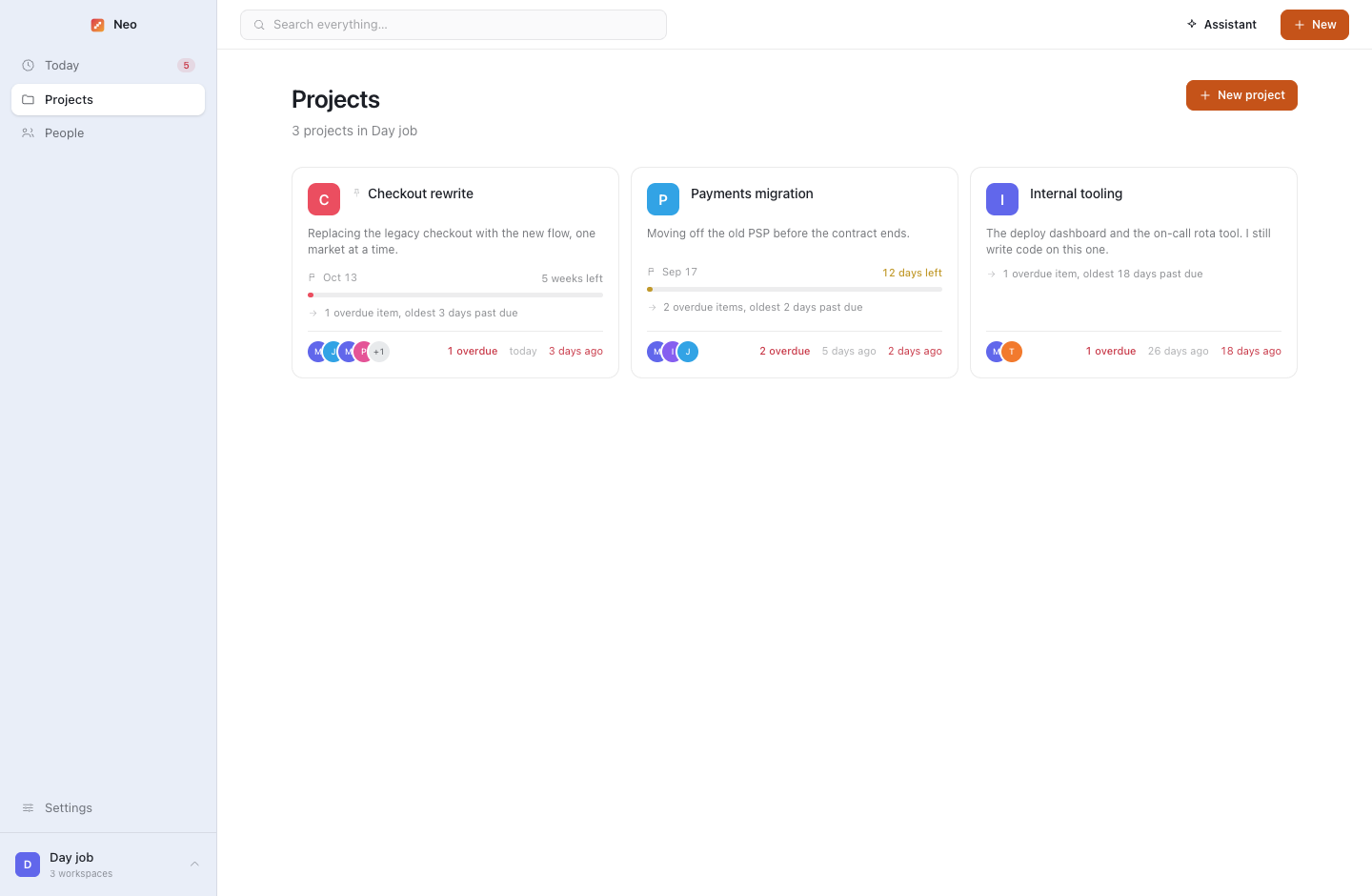
Projects ranked by the most pressing fact about each. The quiet one that has not moved surfaces before it becomes a problem.

Delegated items

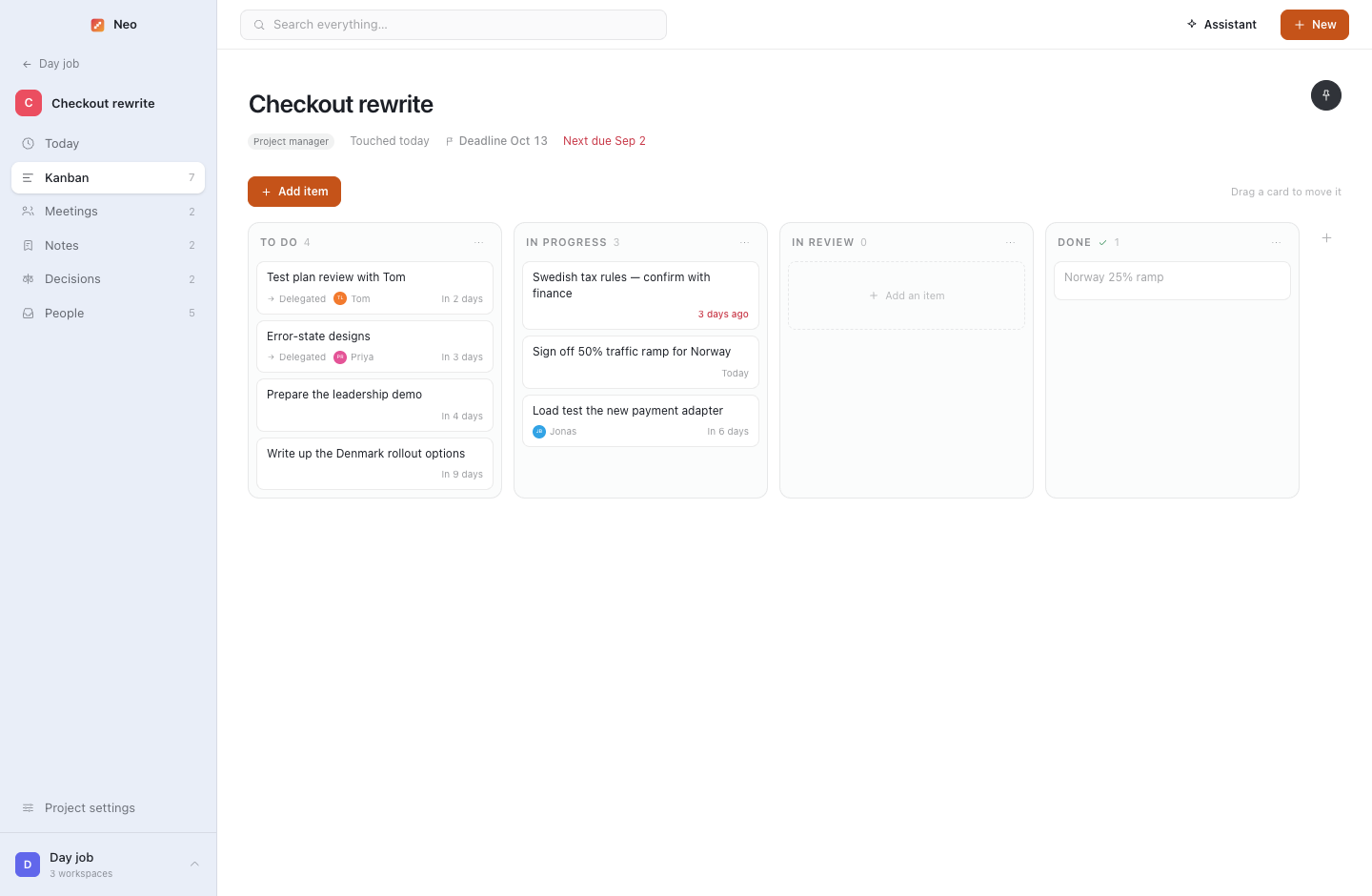
Work you handed to someone else stays on your board and in your Today list, with an owner and a date. You chase from a list, not from memory.

A cast per project

Who is on it, what they decide, and how to work with them. Who signs off the release, who says yes and means maybe.

Decision log, with what was rejected

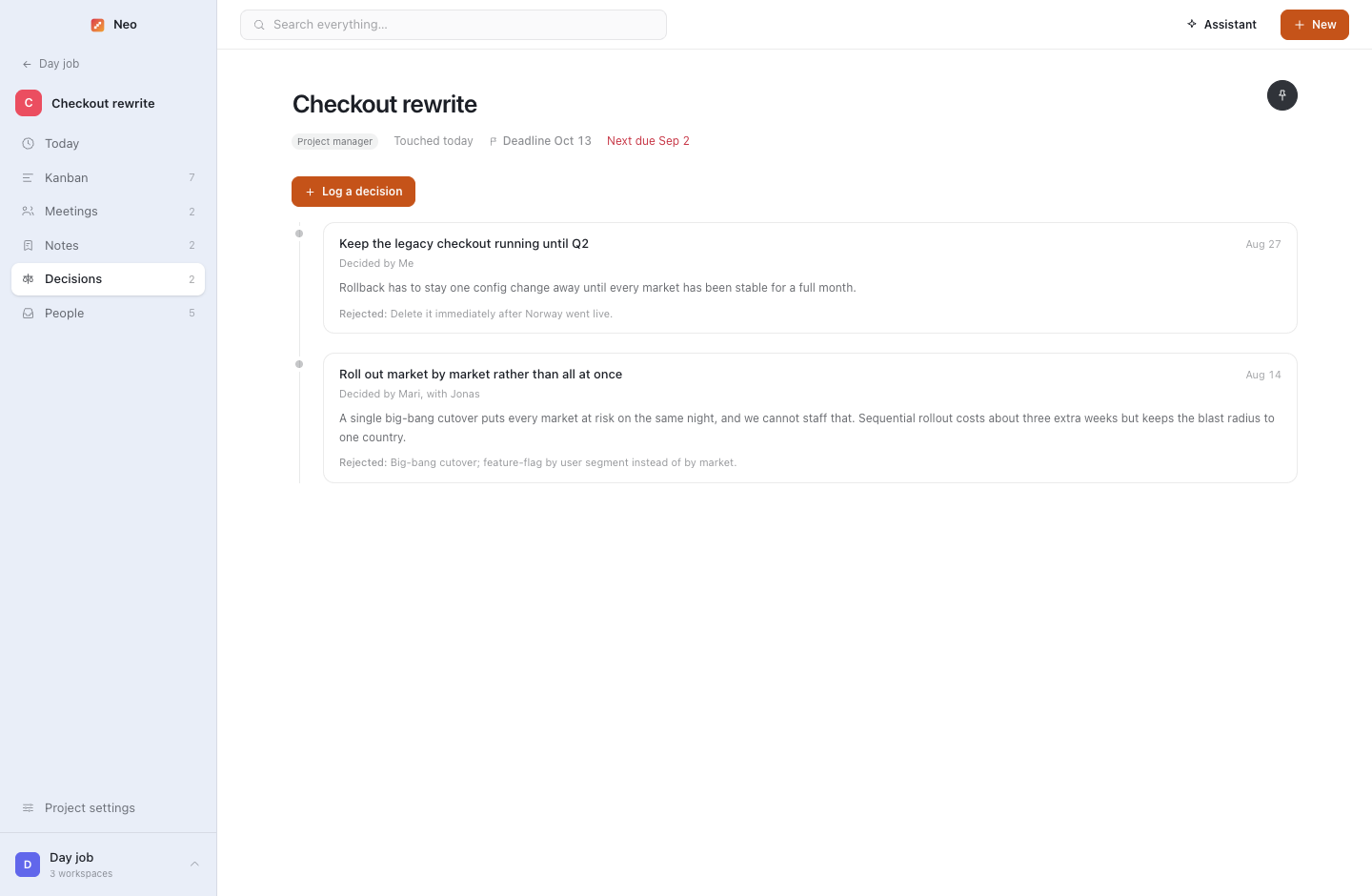
What was decided, by whom, the reasoning, and the options that lost. Six weeks later, the rejected option is the half that comes back, usually brought by whoever lost the argument.

Meeting notes that become work

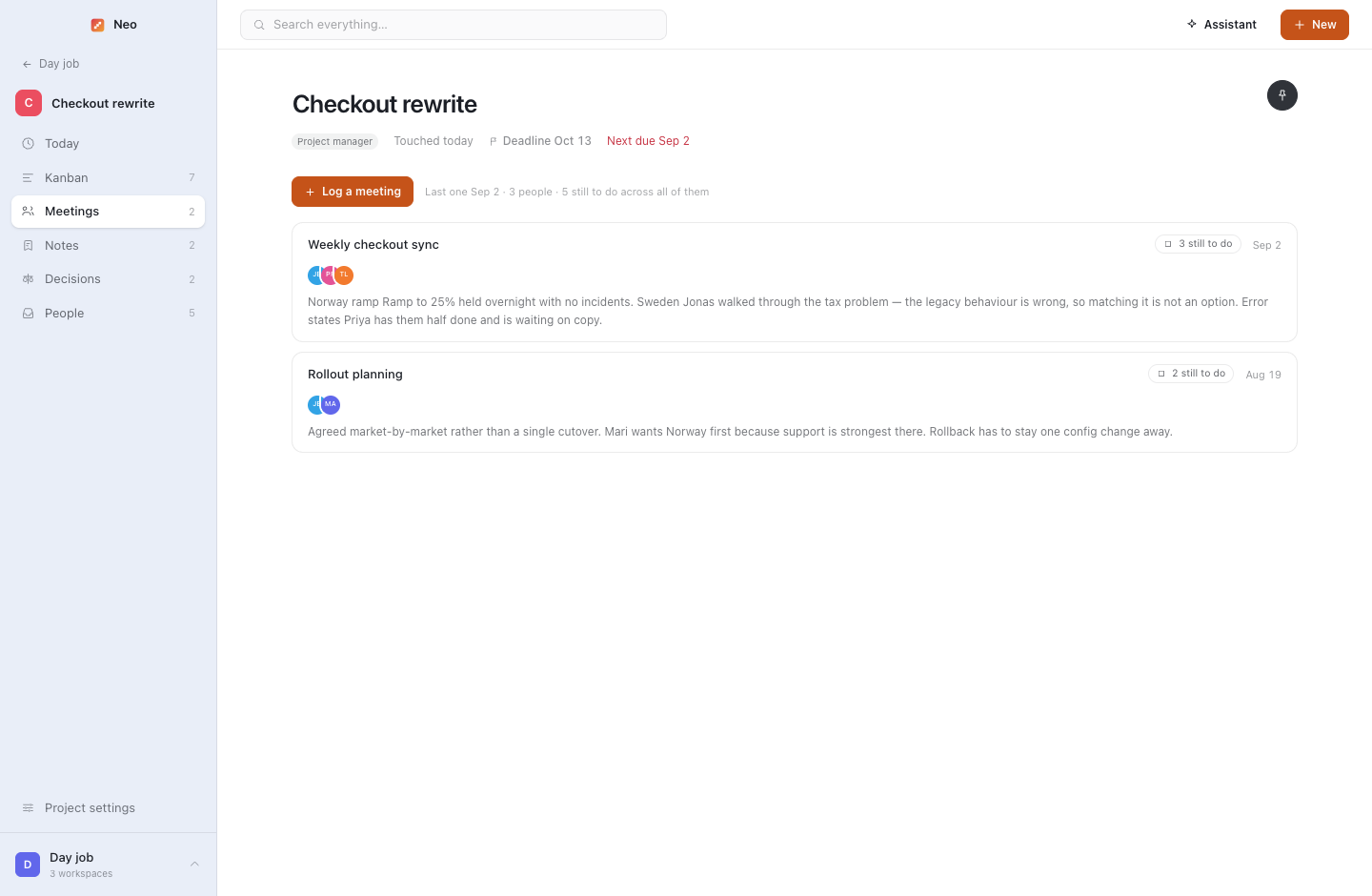
Write the notes as prose. The to-dos inside them become real items on the board, owned and dated, counted as still owed until they are done. "Priya: error states by Friday" stops being a sentence in a document nobody opens again.

Mirrored to plain Markdown

Notes, journal, decisions, meetings and transcripts are rewritten to Markdown on disk on every change. If you get hit by a bus, or just go on holiday, it is all readable without this app.

Recording a meeting

Record a meeting and let it write itself up.

Both sides of the call, with nothing to install. Every step writes its result down before the next begins, so a crash or a flat battery costs you a second of audio, never the meeting.

Record both sides

The microphone plus what the computer is playing, through a native Core Audio tap on macOS. Audio is appended to disk every second and rolled into a new file every five minutes.

Transcribe, one part at a time

Starts on its own when you stop. Each five-minute part is written down before the next begins, so it resumes where it got to after sleep or a crash.

Work out who said what

A language model reads the transcript and attributes the turns. It says so honestly: attributed, not diarised.

Recap: decisions, commitments, insights

Small talk and agenda restatements thrown away. The recap is appended to the write-up as ordinary Markdown you can edit, and an untitled meeting is given a name.

Commitments land on the board

Everyone who said out loud that they would do something now has a to-do with their name on it, counted as owing on Today. Nothing to press.

Your machine, or theirs. Per workspace.

A client's conversations can be transcribed and summarised entirely on your own Mac while the day job's go to OpenAI. Audio and words are set separately.

Your data

Nothing leaves the machine on its own.

Everything lives in one folder in your home directory: a real PostgreSQL database running inside the app, and a Markdown mirror of everything you have written. No server, no Docker, nothing to start.

  • Embedded PostgreSQLReal Postgres compiled to WebAssembly, in-process. Repairs its own indexes if a crash damages one.
  • Plain Markdown, always currentEvery overview, note, meeting, decision, journal entry and transcript, rewritten on every change. Any editor opens it.
  • Three things ever leave, and you asked for all threeA question to the assistant on your own key. What Claude Desktop reads while you talk to it. A recording, to wherever that workspace says.
~/.neo/├── db/            # embedded PostgreSQL├── markdown/      # mirror of everything you wrote│   ├── Checkout rewrite/│   │   ├── overview.md│   │   ├── decisions.md│   │   └── meetings/2026-09-02 Steering.md│   └── Payments migration/├── recordings/    # ordinary Opus files, 5 min each├── icons/├── attachments/└── exports/       # JSON, on demand
The assistant

Ask it anything. It asks before it writes.

An assistant inside the app, and a connector for Claude Desktop. Both use Neo's own code paths, so a task created in conversation is logged, mirrored and counted like one you typed.

In the app, fenced to one workspace

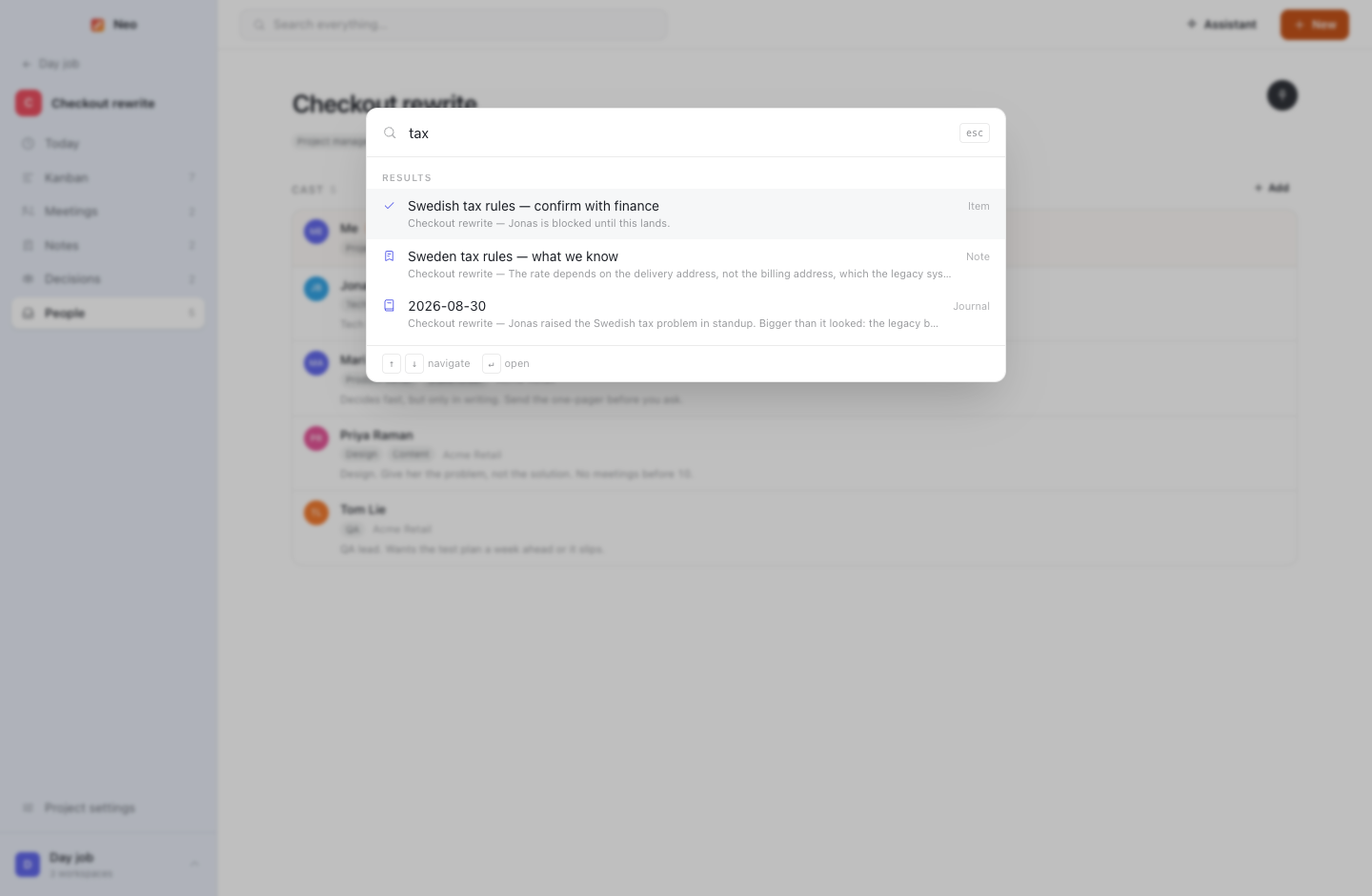
"What am I owed on the checkout rewrite?" It reads only the workspace you asked in, on your own OpenAI key, and every write is a question first: a sentence with names resolved and dates checked, and nothing happens until you answer.

Claude Desktop connector

Talk to your projects from Claude Desktop. The connector installs with one click from Settings, never opens the database itself, and speaks to Neo over a local socket, so a task made there is the same task, logged and mirrored, as one made in the app.

Open it once. It keeps up from there.

Free, MIT licensed, and yours to build from source if you would rather not run an unsigned binary. The first launch offers sample data so you can look around before putting anything of your own in.

Download Neo Latest release on GitHub

The builds are not code-signed (there is no Apple Developer certificate and no Windows EV certificate behind a free project), so the operating system objects the first time. macOS: right-click the app → Open → Open, or run xattr -dr com.apple.quarantine /Applications/Neo.app once. Windows: More info → Run anyway.

Or build it yourself
git clone https://github.com/Johannett321/neo.git
cd neo
npm install && npm run dist